Removing barriers to MEANINGFUL technology use!
Risk Taking is the Way Forward: What is your #edurisk ?
#edurisk
Educators are being asked to take on a lot today when it comes to improving instructional practice and educational outcomes. Whether it be increasing student engagement, embracing new tools and concepts for instructing students (or having students create and demonstrate knowledge), re-thinking educational spaces, or a long list of other topics that impact our work with students, the reality is that it can feel overwhelming.
However, in synthesizing the larger message of these changes in practice, there is one clear theme that surfaces. Change is evident and inescapable. A hyper-connected world is a world that is dynamically changing. If an educator's primary responsibility is readying students for the life that they will one day face, we must prepare them to ready for a life of ongoing change.
While it's an understandable feeling to just want to throw up your hands in surrender to the overwhelming overflow of change (especially in education). For the good of our students we can't give up that easily. There is hope, and it comes neatly packaged in a simple idea - "risk taking."
Why is risk taking so important?
The act of willingly taking risks is the life line that makes dealing with change palatable, manageable, and survivable. Risk taking, by its very nature, provides a platform on which we can identify our challenges, develop a plan for tackling those challenges, and then safely implement our plan without feeling the pressure to be immediately successful.
In taking a risk, we agree to try something new without fear of failure -- risks, by their very definition, embody some chance at failure. The universal understanding of what a risk is (implying that failure may happen) provides us with a safety net to try something new.
It is the act of trying something new, though, that is the key element. When change happens, it often requires a different response than previously offered/attempted. The feeling of being overwhelmed by change is usually in direct response to our inability to attempt a new response; we are committed to the way we've always done things and struggle to see a different way to respond. When we take a risk, we commit to trying something new. We accept that it may or may not be a successful attempt, but we are willing to forego the way we once did things to attempt a new way of doing things. In doing so, we begin on our journey forward to both address and deal with change.
Taking a risk
Put simply, a risk is any change you elect to make (and actively engage in) that stretches you beyond your comfort zone. Risks are not determined by the overall magnitude of the change or the size of the impact it has. Personal changes that impact one person are valuable risks, just as are risks that change an entire organization impacting thousands of people. In the end, a risk's magnitude and sphere of influence is not the determining factor if it is a risk or not -- it is if the risk taken stretches the person, organization, or society beyond an existing level of comfort.
Steps in the Risk Taking Process
- The first step to taking a risk is acknowledging personal/organizational anxiety over a change that has happened which requires a different response.
- The second step is developing an actionable plan that provides an adequate response to that change.
- The third step is determining what success and failure might look like and accepting the consequences for both.
- Finally, the fourth step is taking action -- going for it by taking the risk.
Remember that every person has his/her own aversion to risk. Some individuals are comfortable with risks that may seem monumental to others. Others may feel that even slight changes are a big risk. However, both are valuable and noteworthy, as both are progressive steps forward to address and deal with the realities of change. Your personal aversion to risk is a personal matter that you must grapple with and understand as a part of the risk taking process.
Sharing your risk
Witnessing risk taking is both humbling and inspiring. Knowing that an individual has literally taken a chance, put a part of themselves out there -- this is exactly the kind of action that can encourage others to take their own risk. In a hyper-connected world we can easily share our risks with others in ways that were never before possible. The use of social media is one avenue for this.
Understandably, for many of us the risk we take might simply be putting ideas out there for others see. We encourage you to think about the act of publicly sharing your risk with others as a way of building a network with others -- a network that just might be able to offer support, insight, or perspective based upon their experiences.
We are encouraging more educators to take risks and to share them out with the world! Through the use of a common code that is easily searchable, also called a hashtag, regardless of what social media network you choose to share in your risk can be identified. For this campaign we are going to use the following hashtag:
#edurisk
Whether you use Google + or Twitter, we would love for you to share your #edurisk with our community, both to mark and celebrate your personal risks in addressing the challenges of constant change, and also to inspire others to take those first steps forward -- steps that mark the cultural shift our profession is making to embrace and respond to a world of constant change.
Quick Turn Around: Already Reaping Key Benefits of Attending Google Summit

We were fortunate to send a team of 30 educators from across Waukesha to the Google Midwest Summit 2013. This talented group, made up of educators and coordinators from across the district, was nominated by building administrators to make the trip.
As always, aside from finding inspiration and adding some new tools to our bag of tricks, the focus is about bringing the message and learning of the power of these tools back to our colleagues and students in Waukesha. We are so pleased to see this happening already, and we wanted to highlight the headway these attendees have made in the week that they have been back since the conference took place.
- Using the YouTube editor, one attendee was able to capture a magical moment as one of our students with unique challenges at the elementary level demonstrated incredible growth since her teachers began working with her in fall. Through the use of the YouTube editor (learned about at the conference), the teacher was able to pinpoint key moments during the student's performance that highlighted each learning target (something that could easily be overlooked without the context)
- Inspired by the wealth of digital tools that are available and the necessity to simply put the information learned at the conference to use, one teacher/attendee is making a commitment to attempting the use of Blackboard in several classes as a means of getting started. This is a risk that the teacher has embraced because of inspiration gained from networking with other motivated educators at the Summit.
- One teacher/attendee has already set up the first Google Hangout (utilizing Google+) to connect with colleagues across the district without having to schedule an after school meeting and spend time driving across town. The goal is to gain greater efficiency while staying connected.
- Using the Google+ social network, one attendee has set up a Google+ community at his school and is actively recruiting teachers in the building to join in order to have a common sharing/social place in which to share ideas, articles, resources, etc. As educators feel the constraints and demands of time, the use of a community like this maintains our connection with others, develops a platform in which we can share and collaboratively learn/reflect, and does so in a way that is asynchronous, meaning it is accessible to teachers when they are ready to digest the information available there.
- Several attendees are actively talking about how to share their gained knowledge at upcoming professional development dates to spread the wealth of inspiration and information to a much wider group of colleagues.
This in no way captures all of the momentum sparked by sending attendees to this and other conferences, but it gives us perspective on what becomes possible when people are inspired with new ideas and introduced to powerful tools! Remember, it has been literally less than a week since these folks have returned to the district.
We encourage you to connect with the representative from your building to pick their brain, hear more about the conference, and get inspired. However, they are not the only source of knowledge.
Resources for the entire conference, for nearly every session presented, are available here: https://sites.google.com/site/gapsmidwestsummit/2013-ses

We encourage you to take a look and dig in. These resources are a generous gift provided by the conference presenters to any instructor who may have wished to attend the Summit but were unable to.
Thoughts on the Midwest Google Summit
The coming of November means a lot of things:
The leaves are falling
Football is in full swing
Scraping your car windows in the morning (I hate this)
Christmas music is starting....ugghhh
But, for me November has turned into something else, attending the Google Midwest Summit. This awesome opportunity brings educators form all over the midwest to hear from Google Certified Teachers, Google Certified Trainers, and people with some awesome Google mojo. It is seriously one the best conferences and PD opportunities around. The Google Midwest planning team puts on a fantastic conference that is well worth the money districts invest in sending attendees.
So, without further ado....here are some reflections on what I learned...both philosophically and technology tools.
7. Twitter is so amazing. The tweets during the David Jakes keynote were fantastic. Speaking of David Jakes, what a great message about learning, teachers, and spaces. Some quote highlights:
First step in redesigning your classroom is to reject the notion that it has to be a classroom. @djakes #mwgs
Yeah but….and instant killer. YES @djakes #mwgs
The iPad will be the worst technology my 3 year old will use in his life…what a thought. #mwgs
Back to Twitter....it is, and will continue to be, my go to place to learn and connect. Being Connected Matters in education today, the Twitter was a great resource during the Midwest Google Summit.
6. Lucidpress--WOW. What a cool resource and app for teachers and students. What impresses me the most is that it has much of the same collaborative powers of Google Drive. If you are looking for a Microsoft Publisher alternative this may be worth your time. Additionally, it is an app in the Chrome Web Store and works pretty well within Chrome. Bonus for Waukesha Schools--Lucidpress has an iPad app called Lucidchart. Both the desktop and iPad app need some work, but it is a good start to some powerful software.
5. Using scripts is the next step for teachers looking to "up their game" using Google Drive. Scripting can allow teachers to be more efficient and work smarter in a paper free environment. The script Doctopus is the solution so that students do not have to "Make a Copy" of a Google Document in the Drive app on the iPad. Plus....it helps keep teachers organized with all linked copies of that assignment for each student in a spreadsheet. I cannot wait to share this with teachers at Waukesha North.
4. The Chrome web browser is pretty amazing. The Chrome Web Store is bursting with apps and extensions that can help students and teachers be more efficient. The intricacies of the Chrome web browser makes it one of the best tools of the Google Apps for Education, but I also think its one of the most underutilized. Teachers need to be more exposed to the Chrome web store so that they can see the awesome productivity tools that allow the Chrome web browser to be so flexible and efficient.
3. We have some amazing educators in the School District of Waukesha. We need to shrink Waukesha...it was awesome to connect with all the people in our group. Lots of energy that I hope this group can harness and bring back to Waukesha and in our buildings. Waukesha has some great pockets of innovation and excellence....we need to expose and expand those pockets. I think we try to connect horizontally in Waukesha, and we need to continue to do that, but it would be nice to be able to connect more vertically. What are kids doing in the elementary schools in Waukesha? Connecting with more folks at different/vertical levels can be valuable perspective for all involved. It was great to connect with Waukesha Elementary teachers at Midwest Google Summit.
2. Hey Midwest Google Summit team....mix it up. This is my second year attending the Midwest Google Summit (I also attended the Minnesota Google Summit) and it seems as if it is mostly the same people presenting with mainly the same topics. There were some differences, but the majority of presenters, who were fantastic, are ones that multiple attendees have seen before. We have wonderful educational technologists, administrators, and teachers in the area. Open a call for presenting so that you can get a good mix of veteran Google presenters along with some new blood that can show practical application of Google Apps. We need less of "here are some cool apps and extensions" and more of "here is how I use Google apps in my classroom". Teachers that apply and use technology in the classroom need their voices to he heard more.
And finally.......
1. Students don't need the Google Apps for Education. Students need teachers that will implement rigorous and relevant lessons incorporating the Google Apps for Education to improve student learning. What students need are teachers that are learners...teachers that care...and teachers that can use technology tools in relevant way's to improve learning and teaching. It was great to hear that message from so many people from such diverse districts. It is intoxicating to be around such like minded people. Technology is not a silver bullet, but great teachers with diverse and rigorous lessons that use technology in a meaningful way can start to make a difference.
Why Being Connected Matters
October is Connected Educators month. If you are connected online you probably already knew this, if not then you may have no idea what I am talking about. Generally speaking, to be a connected educator means that you learn from others in the education field. Whether that means a PLC from across the hall, or an educator you have never met from around the world, being connected is closely tied to learning, collaborating, and sharing.
Being connected is almost always associated with social media. Twitter, Google+, and Pinterest are extremely popular ways to become a connected educator. This is where I became connected and started learning more about education, technology, and leadership........through Twitter. Being connected is not about social media, but about making connects...local and beyond.
Consequently, there have been a lot of blogs written this month about what it means to be connected, the use of social media in being connected, as well as the value of being a connected educator.
I don’t want to regurgitate what lots of other talented bloggers and writers have reflected on this month, but I also feel as if I can give my unique perspective on what I think it means to be a connected educator. I feel strongly about this....you do not need social media to be connected, you need collaboration and a willingness to learn. Social media just makes those two things easier. Here is what I think if means to be “connected”:
1. You work in grade level/course alike teams that collaborate about teaching, learning, assessment, and data. Being connected means collaborating with the people you work closest with. This is a non negotiable in today's world of education. The days of working alone with a shut door are long gone. Your front line PLN must be the people you work closest with on a daily basis.
2. You should be connected with your district. Know people in other buildings. Understand some of the issues that educators face at different grade levels, buildings, and departments. Connecting with different grade and building levels can give a holistic view on what is happening in education today.
3. Connecting using a media platform. For me, Twitter is the best place to connect with educators, but there are endless possibilities here. Google+, Pinterest, and good old fashion Listservs (yes people still use those) are great mediums on which to connect. This type of connecting can lead to amazing learning and sharing. These platforms have changed the way educators share and connect.
Why connect? We live in a fast paced world in which the dynamics of the education profession can change faster than ever. To be a connected educator means that you keep yourself updated on things happening in the world of education. Twitter has allowed this to happen for me and my career. Twitter links me to blogs, introduces me to like minded people, and helps me to always be learning and on the cutting edge of what is happening in my field.
Finally, being connected means you are not just a consumer of online PD, but also a producer. Step out of your comfort zone and start a blog, or participate in a Twitter chat. These things can help you reflect and grow tremendously as an educator. It is great to start as an observer or lurker, but you get the most out of being connected when you are an engaged participant.
While October is Connected Educators month it is important that teachers are connected all through the year. Make meaningful connections across your school, your district, and via social media. It can add a new dimension to your own personal professional development.
Presentation: Assistive Technology and Purposeful Use of iPads
Today Patty Hovel, the Related Services Coordinator in our school district, and I will be co-presenting for the Parents United Consortium of SE Wisconsin. Our presentation will focus on the purposeful use of iPads in schools, the changing landscape in our classroom and the changing roles of our teachers and learners, and the process for determining if an iPad, or any assistive technology, will aid a student in their formalized learning journey.
If you are interested in accessing the presentation resources, they are available here: http://goo.gl/T76dUV
Just wanted to share with everybody. Sounds as if we may have just under 100 people in the audience today, but perhaps this is a topic that interests others in our online community. Patty is incredibly knowledgeable about technology, the process for selecting assistive technology, and the role it can play in the classroom. She is a wonderful resource and I'm excited to be presenting with her today!
YouTube Offering Free Audio Tracks; Aids Users in Following Copyright
Many of us have wrestled with the questions surrounding what constitutes educational use of media as it relates to copyright. While it is important for each of us to come to an understanding of what is appropriate fair use and what isn't in the world of copyrighted material, it is just as important that we begin to have discussions about copyright with our students.
As students publish more of their work for a larger audience, the discussion about copyright becomes a non-negotiable point of instruction that every educator must address. However, our own misinformation about copyright makes that conversation a difficult one to lead and to provide definitive advice to students on.
One resource I particularly appreciat for its simplicity and definitive answers, along with their offerings of pre-formatted lessons on teaching copyright to students, is the Teaching Copyright website (http://www.teachingcopyright.org/). The site isn't filled with so many lessons that you can't manage it all. In fact, the lessons and resources are incredibly direct and to the point -- something that those of us who don't love talking about copyright but know it is critical will appreciate. I'd encourage you to take a look, if only to further inform yourself as an educator prior to engaging in a multimedia project with students.
However, another key to the copyright conversation is helping students to find resources that are marked for full use because they are royalty free or have been given a Creative Commons copyright distinction. There are increasing libraries of these kinds of resources out there, but one notable service is now offering 150+ audio tracks that are free to download and use in media projects because they are truly royalty free!
YouTube recently announced it's expansion of a library of royalty free downloadable audio tracks. The tracks can be searched by genre, mood, instrucment, and track length. It's a great starting point for students to consider as they are looking for just the right feeling in their media project audio. It also allows educators to enter into the conversation about how audio tracks contribute to or detract from the meaning and personality of a piece! What a valuable lesson to engage in. Best of all, you can be certain that as your students share their project with the world, at least the audio portion of the project is safe to publish!
If you are interested in checking out the YouTube library, it's available here: http://www.youtube.com/audiolibrary?feature=ctsbs
Get Connected -- It's Connected Educator Month!
For as many people as a teacher comes into contact with during the day, anybody who has been in the classroom knows that teachers can often feel very isolated from other professionals.
Much of it has to do with the physical design of our school buildings. Much to do with the logistical design of our school day. Part of it is that so much of our day is spent with and preparing for our students that little time (or energy) is left to connect with other adults in meaningful ways.
Where to Start?
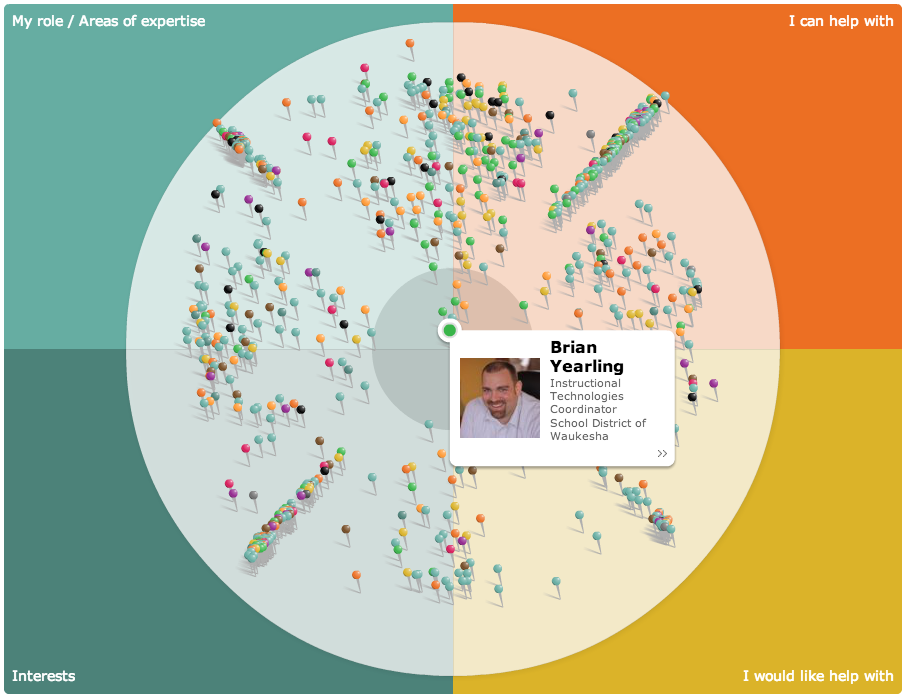
So go on -- give it a whirl, make a personal commitment, and see if you can get connected this month.